Memo & consignment overview
How Nexpura models memo and consignment-in goods — a distinct inventory state with structured return windows, supplier references, and its own status lifecycle, separate from the stock you own outright.
Quick reference
- Memo and consignment-in pieces live in their own table —
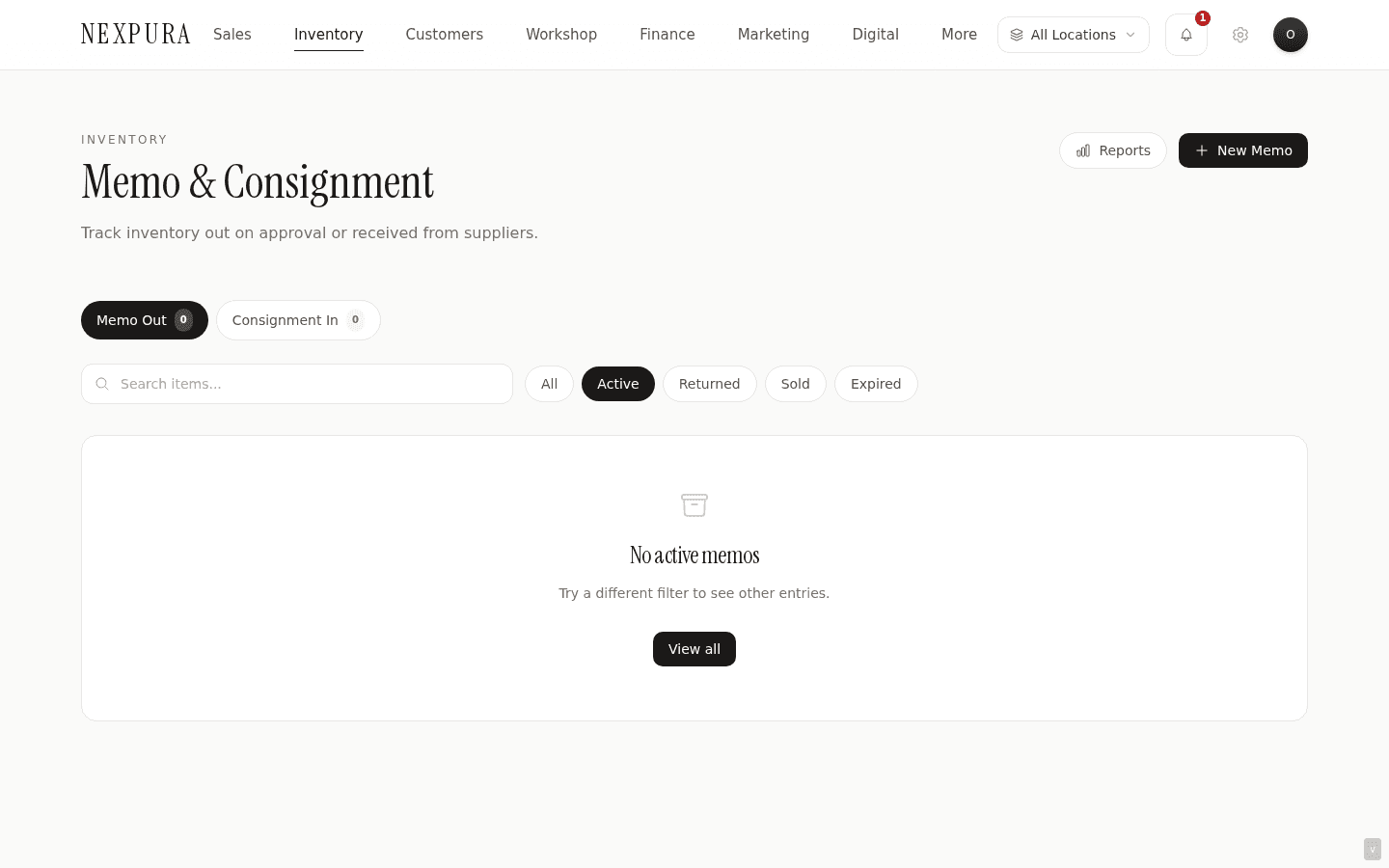
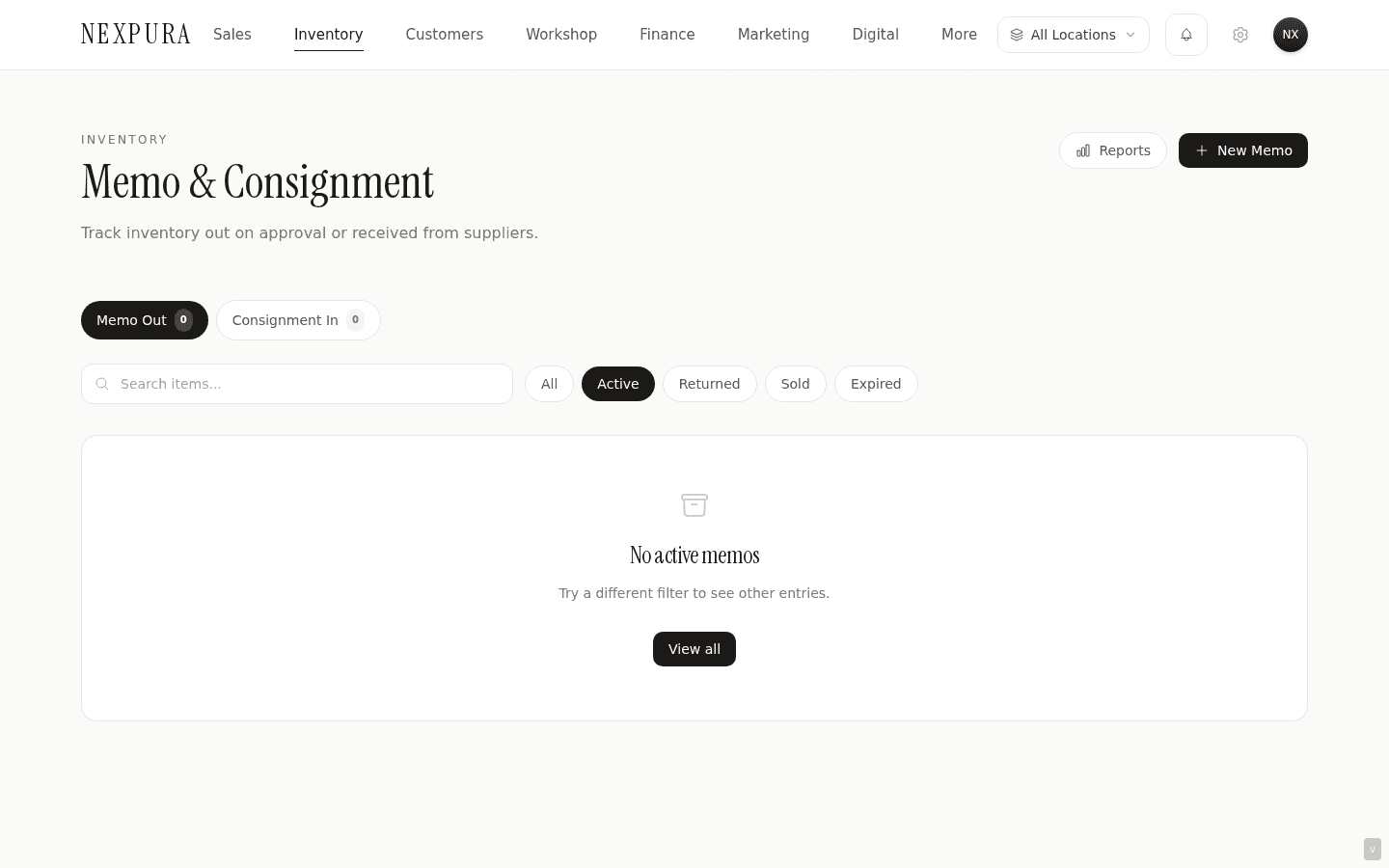
memo_items— at /memo, not ininventory. Owned stock and not-yet-owned stock never share a row. - Two tabs on the list view: Memo Out (a piece you sent to a customer on approval) and Consignment In (a piece a supplier sent you to try to sell).
- Status lifecycle:
active→ one ofreturned,sold,expired, orlost. Active is the only state that contributes to active value totals. - Reference numbers are auto-allocated:
MEMO-0001for memo-out,CON-0001for consignment-in. - The return-window date (
due_back_date) is a structured field. Overdue is evaluated in the tenant's time zone and surfaced as a red clock on the row plus an Overdue Items KPI on the Reports panel. - Memo pieces do not appear in inventory valuation. They sit in their own ledger, with their own active-value summary, and do not inflate the on-hand stock value of your owned inventory.
The shape of the data model
1. Memo-in, memo-out, and consignment
Three flows, one table. The memo_items row has a memo_type field that takes one of two values: memo or consignment.
Memo Out is when you send one of your pieces home with a customer for them to try on, decide on, or show a partner. The row has a customer_id (the person who took the piece), a due-back date by which the customer should either return it or pay, and the agreed value. The piece is still yours; it's just temporarily off premises.
Consignment In is the reverse direction. A supplier (Stuller, a designer colleague, an estate seller) sends you a piece they want you to try to sell, on the agreement that you either sell it within their return window or send it back. The row has a supplier_id (the consignor), the agreed wholesale value, the commission percentage you owe back on a sale, and the return-window date.
Both flows live at /memo; the two tabs at the top route between them. The Memo Out tab headers say things like “Active Value” framed from the customer's perspective; the Consignment In tab frames it from the supplier's. Same data, different reading angle.
2. Reference number conventions
Each row gets a reference number assigned at creation. Memo-out uses the prefix MEMO- plus a zero-padded sequence number per tenant — MEMO-0001, MEMO-0002, and so on. Consignment-in uses CON-0001, CON-0002, sharing no numbering pool with memo-out.
Reference numbers are scoped per tenant, not global — your MEMO-0042 is not the same as another tenant's MEMO-0042.
The reference number shows on the list row and in the slide-over detail panel. It's what you quote on the phone when a supplier rep asks “which one are you returning?”.
3. Status lifecycle
A memo row starts in active state when you create it. From there it transitions to one of four terminal states:
returned— the piece came back. Stamps areturned_dateon the row.sold— the customer kept it (memo-out) or you sold it to a walk-in (consignment-in). Stamps asold_dateand, if the row is linked to an owned-inventory row viainventory_id, writes asalemovement tostock_movementsso the inventory quantity decrements through the same ledger that owned-stock sales use.expired— the window passed and the piece is in limbo. Use this when you've decided to neither return nor buy it yet and want to track it as a state rather than leaving it on the overdue clock.lost— the piece can't be returned because something went wrong (damaged, misplaced, stolen). Records the outcome for the supplier-side conversation that follows.
The four state transitions are tracked in the activity log and the audit log — every status change captures the operator, the old state, and the new state. See Returning a memo piece — or buying it for the operator-facing walkthrough.
Screenshot pending
The slide-over detail panel for a memo row showing the status badge, the value and commission tiles, the contact and due-back-date strip, and the Return / Mark as Sold action buttons at the bottom.
4. The return-window date
due_back_date is a date field — no time component, just the calendar day by which the piece should be returned or bought. It's optional: not every memo arrangement has a fixed window, and the field stays blank for those.
Overdue is evaluated against the tenant's configured time zone, not against UTC. A piece due back on the 15th in Melbourne becomes overdue at midnight Melbourne time on the 16th, not at midnight UTC on the 16th (which is 11am Melbourne on the 16th). That matters because the wrong direction would mark pieces overdue most of a working day before they actually are.
Overdue surfaces in three places: a red clock icon next to the due-back date on the list row, a red text colour on the date itself, and an Overdue Items counter on the Reports panel (toggle Reports top-right).
The overdue check only runs against rows still in active state. A row that's been moved to returned, sold, or expired drops off the overdue list — terminal states aren't overdue at anything.
5. Why memo isn't a flag on the inventory row
The most common alternative design — modelling memo as a boolean flag on the existing inventory row — would let you treat memo pieces as “just like owned stock but with this extra column.” Nexpura doesn't do that. Memo and consignment-in live in their own table, with their own status, dates, and references. The reasoning shows up in the dedicated Q&A below; the short version is that the financial treatment and the workflow shape are genuinely different.
One related field on the inventory side is worth naming: when a memo row transitions to sold and the row has an inventory_id link, the system writes a sale movement to stock_movements so the linked inventory row decrements. That stops a memo piece from being sellable again through POS once it's been marked sold via the memo workflow. The link is one direction: memo rows know which inventory row they correspond to (when one exists); the inventory table itself doesn't carry a memo flag.
6. Reports panel — the four summary tiles
The Reports toggle at the top right of /memo opens a four-tile strip:
- Active Value — the sum of
retail_valueacross every row currently in active state, regardless of tab. This is “how much value is currently sitting in memo arrangements that haven't resolved yet.” - Commission Earned — the sum of
retail_value × commission_rate ÷ 100across every sold row. Useful for the month-end conversation with your consignment suppliers. - Overdue Items — the count of active rows whose
due_back_dateis in the past (tenant time zone). A growing number here means the return-window is being missed; that's the failure mode this section exists to prevent. - Turnover Rate — sold divided by the sum of (sold + active + returned). Captures how often pieces you took in on memo or consignment actually sell, versus go back. Useful as a per-supplier signal once you filter the list by supplier and re-open Reports.
Common questions
Why is memo modelled as a distinct inventory state rather than a flag on the existing inventory row?
Two reasons that point the same direction. First, accounting honesty: a memo or consignment-in piece isn't yours, and including it in owned-inventory valuation would inflate the number that's supposed to represent stock you've actually paid for. The owned-inventory total is the number your accountant cares about at month-close; mixing memo pieces into it would mean every month-end requires manually subtracting them back out. Modelling memo as a separate table keeps the valuation correct without anyone having to remember.
Second, workflow distinctness: a memo row has fields that only make sense for memo — due_back_date, commission_rate, consignment vs memo direction, returned_date, sold_date as two separate timestamps — and the status transitions (active → returned / sold / expired / lost) don't map onto the owned-inventory status set (available / sold / reserved / etc.). Putting those fields on every inventory row would mean most rows carry mostly-null columns and the schema would describe a workflow that doesn't apply to most of the data. The dedicated table carries the right fields and triggers the right states.
When does a sale on a memo piece write to stock_movements?
When the memo row transitions from active to sold, and only if the row has an inventory_id link to an existing inventory row. The transition handler inserts a sale movement with quantity_change = -1 against that linked inventory row, and the database trigger decrements the inventory quantity. That keeps the linked piece from being sellable again through POS.
A memo row created standalone (no linked inventory row) doesn't write a stock movement when marked sold — there's no inventory row to decrement. The memo row itself flips to sold and the audit log captures the event; that's the full record.
How is commission calculated and where does it surface?
commission_rate is a percentage stored on the memo row at creation, defaulting to 20% in the form. On a sold consignment-in piece, the commission you owe back to the supplier is retail_value × commission_rate ÷ 100; what you keep is the rest. The Reports panel surfaces the sum across all sold rows as Commission Earned.
The actual paying-back of the supplier — issuing a remittance, cutting a cheque, posting an invoice into Xero — happens outside this surface. The number is captured here; the cash movement happens in your accounting flow.
Who can change a memo's status, and who can delete a memo row?
Status changes (active → returned / sold / expired / lost) require the edit_inventory permission — the same gate that controls stock adjustments, transfers, and batch receive. Owners and managers have it by default; staff can be granted it. Without that permission, the Return and Mark as Sold buttons in the slide-over panel return a permission-denied message.
Deleting a memo row outright is owner-or-manager only. That's tighter than status changes because deletion breaks the audit trail; if a row was created in error, prefer marking it lost with a note over deleting.
Troubleshooting
The Overdue Items count is climbing and I haven't touched the rows
Symptom: the Reports panel shows Overdue Items growing day over day even though no new memos went out. Cause: the count represents pieces still in active state whose due-back date has passed. Pieces don't auto-transition out of active when the window closes — the system flags them, it doesn't close them. Fix:open the overdue rows from the list (filter by Overdue), and for each: either run a return (if the piece came back), mark sold (if it stayed), or mark expired (if you're holding the conversation with the supplier). The count drops as the backlog clears.
Active Value seems wrong — too high or too low
Symptom:the Active Value tile doesn't match what you'd expect from walking the floor. Cause: the tile sums retail_value across all active rows across both tabs (Memo Out and Consignment In). If you've been mostly looking at one tab, the tile still includes the other. Fix: note that Active Value is a portfolio-level number, not a tab-level one. If you want the per-tab cut, sum the active rows in the current tab manually — or filter by Memo Out / Consignment In status, then re-open Reports. (A per-tab Active Value tile is on the backlog; today the tile is shared.)
A memo row I marked sold still shows its inventory piece as available in POS
Symptom: you marked a memo row sold, but the linked inventory piece is still listed as available when an associate tries to ring it up. Cause: the inventory decrement only fires if the memo row has an inventory_id link. If the memo row was created standalone (no linked inventory row), marking it sold doesn't touch stock_movements. Fix: if you have an owned-inventory row that matches the piece, link them via the inventory detail page (the linkage is established at memo creation today; a backfill UI for existing rows is on the backlog). In the meantime, run an Adjust Stock on the inventory row with reason Sold and a note referencing the memo number to keep the inventory count honest.
A piece on memo has been returned to the supplier but it still shows in Consignment In
Symptom: the physical piece is back with the supplier, but the memo row is still active. Cause:returning the physical piece doesn't auto-update the memo row — the return action has to be run from the slide-over panel. Fix: open the row, click Return in the slide-over. The row transitions to returned with today's date stamped. See Returning a memo piece — or buying it for the full return flow.
Related
- Related: The problem this solves — “The memo that vanished” — the customer-side framing of why the binder-and-paper-slip approach to memo aging fails, and what the distinct-state model fixes
- Receiving a piece on memo — the intake walkthrough that creates the rows described here
- Returning a memo piece — or buying it — the exit-from-active walkthroughs
- Inventory overview — the owned-stock data model that memo sits alongside
- Adjusting stock and viewing history — the movement ledger that memo-sold transitions write into